Let’s first set the premises here. AI as we know it today often means large language models (LLMs) like Claude, ChatGPT or Gemini. Many of the models we are going to talk about are not LLMs. They are what I like to refer to as the pre-LLM definition of AI. And you might not have known or noticed that they have been part of our hardware and software since long before the first LLM was conceived. But again, this conversation is more relevant now because AI is a household name, and with agentic engineering, it’s now easier than ever to find or train an ML model that suits your needs perfectly. I will share my real-life case studies on this as well.
One of my favorite animated TV shows is Rick and Morty. In one of its episodes, Rick builds a seemingly sentient robot on the dining table.
When the robot asks Rick: What is my purpose?
Rick answers: You pass butter.
I bring it up because, as funny as this scene is, it can be interpreted either as wasted potential for the robot, or as proof that a robot purpose-built for passing the butter is going to do that better than anyone else.
But I am getting ahead of myself. Let’s start with some invisible examples. Things like email spam filters, automatic number plate recognition systems, your camera’s subject-detection autofocus, even Adobe Photoshop’s content-aware fill (relevant later) are a few examples of purpose-built models in action. Your smartphone might be running tens of them every day, and has been since the early days of smartphones, without making itself known. The secondary point is: AI has been everywhere for a long time.
The reason they are in abundance is that they are very small. In fact, in the grand scheme of things they can be considered tiny. And they require very few resources to run. For that exact reason, they don’t need a massive data center. Instead, they can run locally on your computer, on a smartphone, in your web browser, or even on a capable microcontroller.
The very first time I worked with an ML model was back when I was doing my bachelor’s in computer science. One of my professors asked me to help a senior make a smarter surveillance system as part of their final project. The idea was to record only when there was motion. This might sound common these days, but back then it was a novelty. We trained our own ML model to reliably detect motion in blurry, low-res CCTV footage. In my professional life, I helped a teammate train a model that can detect forged ID cards.
Recently, I started working on my hobby projects again. One of the projects that I really love and care about is 35mm photo. It’s a photo editor, and if you ask me, it’s one of the best browser-based Adobe Lightroom alternatives out there. Do give it a try, btw. But the reason I bring it up is its architecture. It runs entirely off GitHub Pages, so it doesn’t have any backend whatsoever.
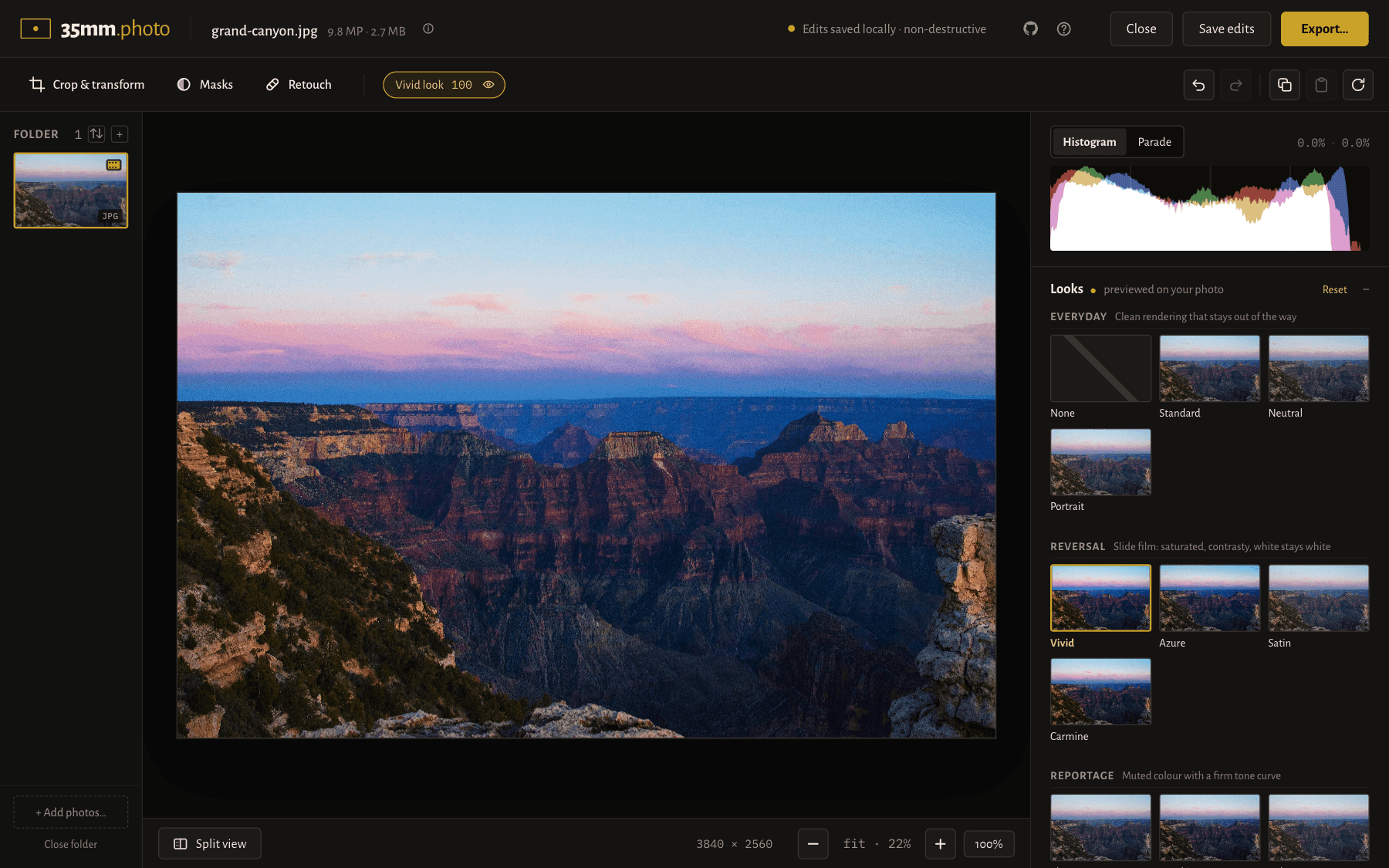
Initially I thought all the ambitious features I planned for this, especially things that involve AI, might not be possible. But then I got an idea: what if I tried using models that are small enough to run in a browser? And that’s exactly what I did. It runs three in-browser models for three different tasks.
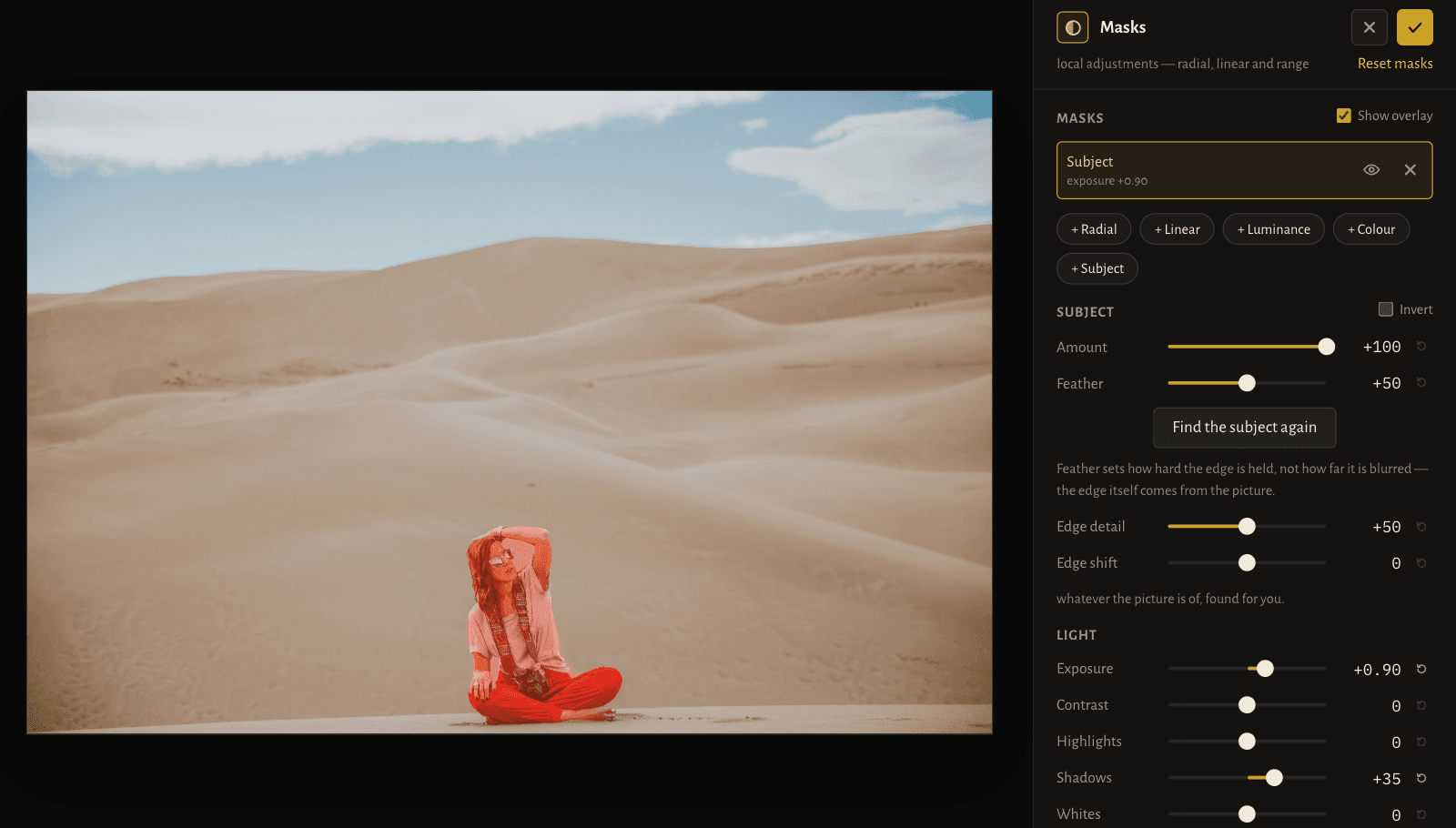
The first one is AI subject detection
This is the first model I used. It uses the model U²-Netp. I converted it from float32 to float16 precision, and the model size shrank to 2.3MB. With this 2.3MB model, it can detect a wide range of subjects including humans, animals, cars, etc. You can see it in action in the mask tool of the app. If you add a subject mask, it does a one-time model download and then runs the subject detection on the photo.
The second model I brought in is for smart fill
AI subject detection gave me so much confidence that I immediately started looking into AI cleanup/object deletion for a smart heal tool. I remember when Adobe introduced content-aware fill back around 2010, I was amazed! It was probably one of the early demonstrations of what AI is moving towards. So this feature, or something close to it, had always been on my wishlist. I looked into multiple models that could potentially do it and ended up using MI-GAN. This model is 14.2MB, and it can remove quite large things from your photo gracefully. I was surprised at how well it works for its size.

The third model I used is for upscaling images
I was not sure this was possible, because I’ve upscaled images with general models like Gemini before. So I went into it with low expectations. I thought it won’t do anything close to larger models. But then I found Real-ESRGAN. Altogether, the model is 31.9MB in size, but it can upscale a low-res image up to 4x its original size. It even works on a cropped section of an image. For the size and amount of resources it uses, it does a fair enough job.
The more time I spent on Hugging Face and GitHub looking into small purpose-built models, the more they amazed me. There are hundreds of models for detection, enhancement or generation. And it’s now easier than ever to test and build on top of them. Or, if you are brave enough, train your own.
So how do I find and use purpose-built models?
I think there are many frameworks and write-ups on the “how” aspect of it, mostly technical details. I will share my thought process. When I come across a problem, the solutions I think of might involve the system being smart. Now, the question I ask myself is: does it have to be generally smart, or just smart enough to do one thing very well? If the answer is “one thing,” I look for a small model first. If there is one, I try using it. If there isn’t, I check whether I have enough data to train a model. If I do, I estimate how difficult or expensive it would be to train one. If none of the above works, only then do I turn to larger general-purpose models.
This approach has helped me push the web browser to crazy lengths. It has helped me ship features that would seem impossible from the browser, at least in the frontend itself. Do give them a try. It might help you too.